Ozil Goal AI
Your photo. Your Ozil goal moment.
Upload one photo and become the scorer. The football video and prompt are already prepared for you.
Create your Ozil Goal AI video
Add a clear character photo, adjust the prompt if you like, then generate.
15s · 120 credits / second · Rounded up to whole seconds
Before generation, compatible files upload directly; other supported videos are adapted locally without cropping or changing playback speed. Preparation does not consume generation credits.
Supported files and limits
Kling O3: 3–15 second clips, 720p / 1080p output. Credit-only accounts: up to 12 seconds. MP4/MOV up to 20 MB; JPG/PNG/WebP up to 8 MB. Supported videos are prepared locally before upload.
One photo · Fixed 15-second video · Template with audio · Generation uses credits
Ozil Goal AI video examples
Watch three versions of the football goal sequence: a football-kit reference, an athletic character and the 15-second football template used by this editor. Follow the goalkeeper, the defenders and the ball to see how each clip handles the action.
Football-kit goal reference
Watch the chip, the changes of direction and the finish. This reference helps explain the football action behind the Ozil goal trend.
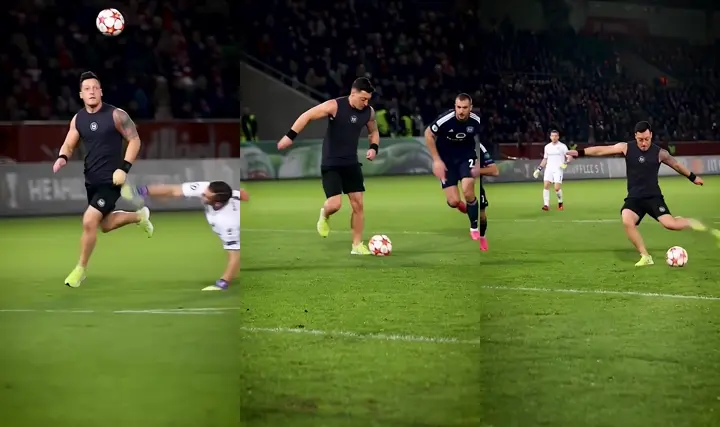
Athletic character version
A black sports outfit changes the lead character while keeping the recognizable run toward goal. Inspect the face and legs as the defenders cross the frame.
15-second goal template
This is the built-in scene used for your edit. Your uploaded photo guides the replacement of the attacker in the dark navy and neon-yellow kit.
What is Ozil Goal AI?
Ozil Goal AI describes a football video format in which a different person or character becomes the scorer in a recognizable solo-goal sequence. The attacker lifts the ball past the goalkeeper, moves around recovering defenders and finishes. The contrast between an unexpected character and a skilled football move is the appeal. Searches such as “Ozil AI goal”, “Ozil goal template” and “AI football goal video” often refer to this kind of edit.
On this page, you make that edit with a built-in reference video and one character photo. The reference supplies the movement and camera path; your image supplies the appearance to recreate. This is character replacement in an existing scene, not a recording of you playing football. The prompt is ready to use, and you can change it before generating.
HOW IT WORKS
Three steps to your football moment
01
Watch the goal template
The 15-second goal video is ready, with its original audio. Play it to see the movement your character will follow.
02
Add your character photo
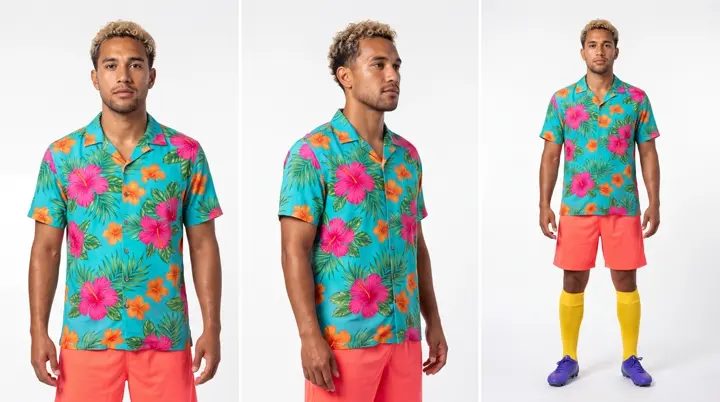
Upload one clear, well-lit photo. A waist-up or full-body image helps define the character; the example shows the reference used for this transformation.
03
Generate your 15-second video
Choose quality, review the credit estimate and generate. Watch this example transformation, then create and download your own version.
Made for your next football edit
Your character, the same football scene
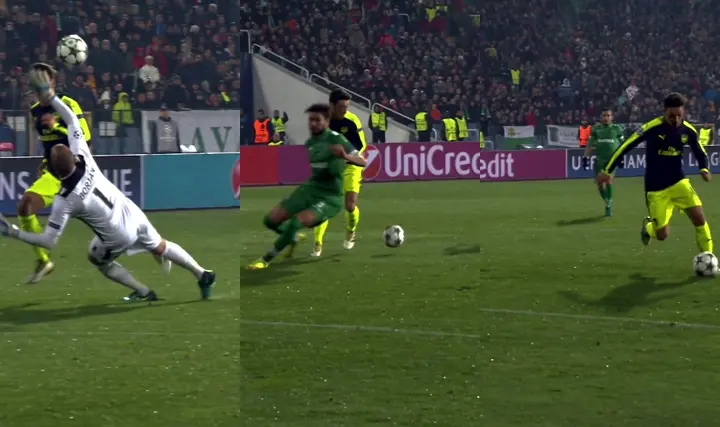
A ready-made football reference gives the edit a clear sequence: the keeper approaches, the attacker moves through the challenges, and the shot follows. You do not need to film a run, find a separate reference or upload a football video. Add your photo to the Hero editor and the scene is already selected.
The template is a 15-second vertical clip with original audio and playback speed. The stills show moments from the source, not separate generated results. Review the complete output because AI may alter details.
A prompt you can make your own
The prefilled prompt identifies the main attacker and asks the model to preserve the goalkeeper, defenders, ball trajectory, pitch and camera motion. This matters because a football scene contains several people: a vague “replace the person” instruction may not clearly identify the intended subject.
For your first attempt, keep the action-preservation instructions and change only the character details you need. Use a short description consistent with your photo, such as a blue jacket or curly hair. Avoid asking for new camera cuts, a different stadium or extra players in the same edit. If the result changes the wrong player, make the attacker description more specific before another paid attempt.
Which photo works best for an Ozil goal AI video?
Choose one clearly visible person or character with even lighting and a sharp face. A waist-up or full-body image provides clothing and body context for the running scene. Leave room around the head and shoulders, and use a pose where the face is easy to recognize. You do not have to wear a football kit or stand on a pitch.
Avoid group photos, tiny faces, heavy blur, sunglasses, masks and strong filters. These make it harder to establish which character should replace the attacker. A clearer reference is a better starting point than increasing resolution alone. Use your own photo or one you have permission to upload and edit.
Review the face, the ball and the finish
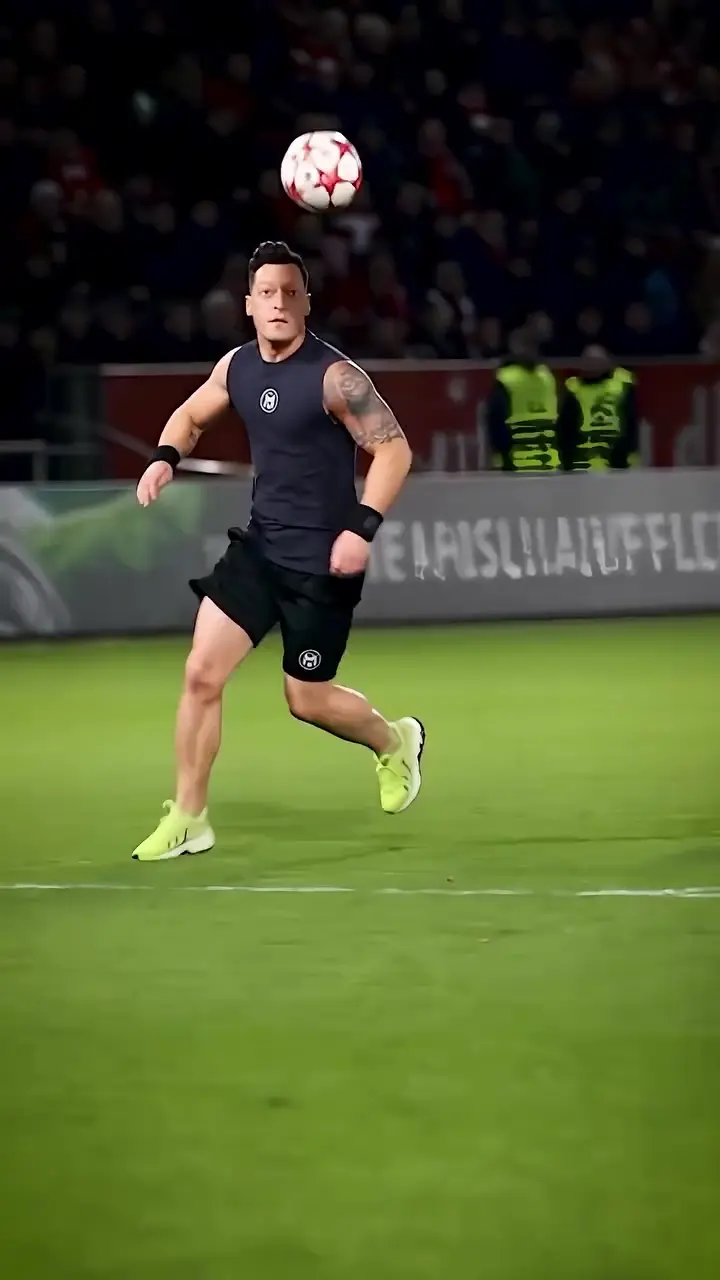
After generation, watch the full clip. Check whether the face stays recognizable, the outfit remains consistent and the feet follow a plausible path. Pay special attention when the goalkeeper or a defender overlaps the attacker: these moments can produce changing faces, extra limbs or merged bodies.
Track the ball from the chip to the final movement. A disappearing ball, an extra ball or an incomplete finish can make the edit less convincing even when the first frame looks good. Choose the available output quality for your intended use, but do not assume 1080p guarantees better motion than 720p. Download the result after reviewing it and identify it as an AI edit when sharing.
Choose your plan
Subscribe monthly or yearly, or buy credits as needed.
All prices are in US dollars (USD).
Choose how to pay
Save 50% · Billed yearly
Compare plans
Tap a plan to see details.
Pro
Standard videos per year: 150
Shorter videos let you create more.
For professionals
- 216,000 credits, valid for 1 year
- Save $354 per year
- Renews at $354/year. Cancel anytime.
Included in every plan
- No watermark
- Complete privacy
- Faster generation
- Priority support
- See the cost before generating
- 480p, 720p and 1080p video editing
- Site credits returned on confirmed failures
- Subscription plan
- Up to 30 seconds per video
Ozil Goal AI questions
Do I need to upload a video?
No. The goal reference is built in. Upload only your character photo; the prompt is already filled in and can be edited.
Is Ozil Goal AI free?
Browsing and preparing your edit are free. Generating a video uses credits. The editor displays the estimated cost before generation; the pricing section shows available plans.
How long is the video?
The built-in video is fixed at 15 seconds, with original audio and playback speed. Your generation uses this full 15-second source.
Will the face, goal and music be identical?
AI results vary, especially during overlaps and fast ball movement. Check the complete result before sharing. The reference has no audio; trending music is not included.
What photo should I upload?
Use one sharp, well-lit person or character. A waist-up or full-body photo gives more outfit and body detail than a tight face crop. Avoid groups, covered faces and strong blur. Only use a photo you have permission to edit.
Do I need an Ozil goal AI prompt?
The prompt is already filled in. You can generate with it as written or edit it to describe your character more precisely. Keep the instructions that identify the main attacker and preserve the goalkeeper, defenders and ball movement.
Do I need CapCut to make this video?
No. This page provides the reference video, editable prompt and generation controls in your browser. CapCut is not required for this workflow. You can use another editor afterward to add captions or music you are licensed to use.
How many credits does one video use?
The amount depends on the model, output quality and billable duration. For this template, Kling O3 at 720p currently estimates 1800 credits for 15 billed seconds. Upload your photo to see the current estimate; the server quote is checked before submission. Changing the model or quality changes the cost.
Why can the face or ball change during the clip?
Fast movement, small faces and overlapping players are difficult for AI video editing. Use a clearer character photo and a focused prompt, then inspect the result through the keeper and defender interactions. Neither an exact likeness nor perfect football physics is guaranteed.
Can I download and post my Ozil Goal AI video?
After a successful generation, download the video from the result panel. Review it first, label it as AI-generated and use photos, footage and music you have permission to publish. This page does not include the trending soundtrack.
Independent creative tool, not affiliated with Mesut Özil, Arsenal or UEFA. Use a photo you have permission to edit.